
iOS category saturation is a real rejection risk, not just a discoverability problem. Apple's updated App Store Review Guidelines now explicitly warn that low-effort apps in crowded categories can be removed, not just rejected. Before you submit, take three immediate steps:
- Check two APPPRICER metrics first: new-launch rate and revenue concentration for your target category. If the top 1% of apps hold the overwhelming majority of revenue and new apps launch daily, treat that as a high-risk signal.
- Document at least one verifiable differentiator in your codebase (a unique integration, on-device processing, or proprietary content) before writing your App Review notes.
- Delay submission if your category shows both a high new-launch rate and a median rating below 3.8 stars across incumbents. That combination signals Apple is already skeptical of new entrants.
Guideline 4.3 (Spam) and 4.2 (Minimum Functionality) are the two rules most likely to block you. APPPRICER is the tool referenced throughout this article for measuring the signals that matter.
Key Takeaways
Category saturation under Apple's 2026 guidelines is a measurable, manageable risk when you collect the right signals before submitting.
| Point | Details |
|---|---|
| Measure before you submit | Pull new-launch rate and revenue concentration from APPPRICER; high-risk threshold is top 1% holding more than 70% of category revenue. |
| Document a verifiable differentiator | Reviewers confirm unique features by following your App Review notes; a buried feature is the same as no feature. |
| Use the secondary category slot | It expands browse surface area without splitting your primary competitive position; most developers leave it misconfigured. |
| Fold or pivot before doubling down | Vulnerable incumbents (stale updates, sub-3.5 ratings) are real targets; locked categories with strong leaders are not worth the submission cost. |
| APPPRICER for saturation checks | APPPRICER's category growth, new-launch rate, and exportable leaderboards surface the specific signals Apple's reviewers respond to. |
Table of Contents
- What does Apple's guideline 4.3 actually say about saturated categories?
- How saturation changes your approval odds and discoverability
- How do you measure whether a category is actually saturated?
- What counts as "meaningfully different" to an App Store reviewer?
- Your pre-submission checklist to cut rejection risk
- What to do if Apple rejects your app for saturation or spam
- How to pick categories when saturation is a concern
- Fold, pivot, or double down: a practical decision framework
- APPPRICER gives you the saturation data before you commit
- Sources
What does Apple's guideline 4.3 actually say about saturated categories?
Apple's language in the App Store Review Guidelines has sharpened considerably. The relevant passage under Guideline 4.3 reads:
Apple goes further in its June 2026 update, explicitly naming categories where the bar is highest: dating, flashlight, fortune telling, fart sounds, burp sounds, drinking games, and Kama Sutra content. These aren't random examples. They represent categories where Apple has seen years of near-identical submissions and where reviewer scrutiny is now near-automatic.
The practical implication is significant. Apple no longer treats saturation as a passive market condition. Reviewers are now empowered to reject apps that are functionally redundant even if they technically work. Worse, Apple's updated language signals that apps already on the store can be removed if they stop receiving updates or fail to attract users. That's an enforcement shift, not just a policy clarification.
How saturation changes your approval odds and discoverability
Saturation acts as a risk multiplier under Guidelines 4.2 and 4.3. A borderline app in a niche category might scrape through review. The same app in a crowded category faces a reviewer who has seen dozens of near-identical submissions that week and is primed to flag it.
Specific reviewer concerns in saturated categories include:
- Thin functionality: the app does one thing that five hundred others already do, with no measurable improvement
- Duplicate UX patterns: identical navigation flows, icon styles, or onboarding sequences that signal template-built apps
- Low retention signals: Apple can see aggregate engagement data; apps with poor session depth get less editorial benefit of the doubt
- Stale update history: an app that hasn't shipped a meaningful update in 12 months reads as abandoned
- Deceptive metadata: keyword stuffing in titles or subtitles that misrepresents the app's actual function
The mobile app market reached approximately $167B in revenue, but that figure is deeply uneven across categories. Generative AI and social media subgenres showed strong growth in 2025, while legacy utility categories like flashlight and calculator apps see revenue concentrated almost entirely in the top handful of incumbents. When revenue is that concentrated, new entrants aren't just fighting for downloads. They're fighting for reviewer credibility.
On the discoverability side, saturation hits browse and search differently. In browse, your app competes for placement within its category chart. A crowded chart means you need significantly more downloads per day just to appear in the top 200, let alone the top 10. In search, the algorithm weighs relevance and conversion rate. If your app's metadata overlaps heavily with established apps, Apple's algorithm has no reason to surface you over a higher-rated, longer-tenured competitor.

How do you measure whether a category is actually saturated?
The signals below give you a data-backed go/no-go framework. Collect them before you write a single line of App Review notes.
| Metric | Where to get it | High-risk threshold |
|---|---|---|
| New-launch rate (apps/day in category) | APPPRICER category view | new apps launch daily |
| Revenue concentration (top 1% share) | APPPRICER revenue distribution | Top 1% holds more than 70% of category revenue |
| median rating | App Store Connect, manual sample | Median below 3.8 stars |
| Update recency (% apps updated in 12 months) | APPPRICER leaderboard export | Fewer than 40% updated in past year |
| Download density (leader gap) | APPPRICER, third-party estimates | Top app has 10x+ the downloads of rank 50 |
| Feature duplication index | Manual sample of top 20 apps | top 20 apps to assess feature duplication |
The practical workflow: start in APPPRICER to pull category growth trends, new-launch rate, and revenue concentration. Cross-reference with App Store Connect's browse impression data for your chosen category. Then manually sample the top 20 apps to assess feature duplication. That three-step pass takes a few hours and surfaces most of the risk before you commit to a full submission.
Pro Tip: Don't rely on a single red-flag signal. A high new-launch rate alone might just mean a trending category. Combine it with low median rating growth and high revenue concentration, and you have a genuinely saturated market where new entrants rarely gain traction. Multiple signals converging is what separates a risky bet from a near-certain rejection.
The competition analysis framework from App Store Operator structures this as five dimensions: volume, concentration, vulnerability, monetization, and market fit. Running all five before submission is the difference between guessing and knowing.
What counts as "meaningfully different" to an App Store reviewer?
Marketing copy doesn't count. A reviewer can't verify your claim that your app has a "better user experience." They can verify that your app uses HealthKit in a way no competitor does, or that it processes data entirely on-device, or that it requires authenticated access to a niche content library.
The bar for meaningful difference is a verifiable codebase feature, a unique integration, novel permission use cases, proprietary content, or a community feature with real membership. Here's what reviewers actually accept:
- Real-time data integration with a named third-party API that competitors don't use (weather, financial, health sensor)
- Offline-first architecture with sync conflict resolution, not just cached content
- On-device AI processing using Core ML with a custom model, not a generic API call
- Authenticated niche community with real user accounts and user-generated content moderation
- Unique hardware integration (specific accessory, peripheral, or sensor combination)
- Proprietary content library licensed exclusively or created in-house
Short before/after examples make this concrete:
Before: A meditation app with five generic guided sessions and a timer. After: The same app with biometric feedback from Apple Watch that adjusts session pacing in real time.
Before: A flashlight app with brightness control. After: A flashlight app with Morse code encoding, strobe patterns for emergency signaling, and an offline SOS protocol.
Before: A recipe app with scraped public-domain content. After: A recipe app with a licensed database from a named culinary institution and dietary tracking tied to HealthKit.
Before: A tip calculator. After: A tip calculator with bill-splitting, expense tracking, and CSV export to accounting software via a documented API.
Pro Tip: Reviewers run reproduction tests. They will open your app, follow the steps you describe in your App Review notes, and try to trigger the unique feature you claim. If they can't find it in two minutes, they'll reject. Document the exact tap path to your differentiator in your review notes, and make it the first thing a new user encounters, not a buried settings screen.
Your pre-submission checklist to cut rejection risk
Before you hit submit, work through this list. Each item is something a reviewer can verify independently.
Functional tests to complete:
- Accessibility labels on all interactive elements (VoiceOver passes without silent buttons)
- Offline behavior documented and tested (what happens with no network?)
- Unique workflow triggered and confirmed crash-free on at least two device types
- Server-side integrations confirmed live (not staging) with real data returning
Documentation to prepare for App Review notes:
- Step-by-step path to the differentiating feature (tap count, screen names)
- Demo account credentials if login is required
- API endpoint or integration name that proves the unique connection
- Sample content that demonstrates proprietary or licensed material
- Changelog note explaining what changed since the last version (for updates)
A concise App Review note template looks like this:
App Review Note — [App Name] v[X.X]
This app integrates with [Named API/Service] to deliver [specific function]. To verify:
- Launch app and tap [Screen Name].
- Log in with demo account: user@example.com / password123.
- Tap [Feature Button] to trigger [unique behavior]. Server endpoint: api.yourapp.com/v2/[endpoint] (live, not staging). This integration is not available in [competitor category description].
On timing: adding a meaningful differentiator to an existing codebase typically takes two to six weeks of development depending on complexity. If Apple rejects and you need to appeal, expect the appeal review to add seven to fourteen days on top of the standard review window. Build that buffer into your launch timeline.
What to do if Apple rejects your app for saturation or spam
A rejection under 4.3 isn't a dead end, but your response window matters. Move fast and methodically.
Immediate triage (within 24 hours):
- Screenshot the full rejection message and record the specific guideline cited
- Preserve the rejected binary and all App Review notes from that submission
- Run the pre-submission checklist against the rejection reason to identify the actual gap
- Check whether the rejection is a 4.3 (Spam/Duplication) or 4.2 (Minimum Functionality) issue. They require different fixes.
Resubmit flow:
- Fix the specific failing item, not just the surface symptom
- Update App Review notes with clearer reproduction steps and any new credentials
- Increment the build number even if the fix is metadata-only
- Re-submit with a short, factual explanation of what changed and why it addresses the rejection
Appeal checklist (use when resubmission is not viable):
- Screenshots showing active user engagement (session data, retention graphs)
- Server logs demonstrating that unique content or integrations are live and in use
- A concise written argument citing the specific guideline language and explaining how your app meets it
- Any third-party agreements or licenses that prove proprietary content
Escalate to the App Review Board only after one failed resubmission. The Board reviews cases where you believe the guideline was misapplied, not cases where you simply disagree with the standard. Expected timeline for a Board review is typically two to four weeks beyond the standard review cycle.
How to pick categories when saturation is a concern
Primary and secondary categories serve different functions, and most developers underuse the secondary slot.
Your primary category controls browse placement and determines which competitive chart your app appears in. Apple requires it to reflect the app's core experience. Choosing aspirationally (putting a productivity tool in "Business" because it sounds more prestigious than "Utilities") typically backfires. You end up competing against enterprise tools with thousands of ratings while your actual users can't find you in browse.
The secondary category is a free additional signal. It doesn't create a second browse listing, but it does influence editorial consideration and can surface your app in adjacent searches. Sonar's analysis shows that the same keyword can rank across multiple categories on iOS, meaning a well-chosen secondary category genuinely expands your surface area without splitting your competitive position.
Practical heuristics:
- Map your core user action to the primary category, not your business model
- Use the secondary slot for the adjacent use case your app also serves
- Check the top-10 composition in your target primary category before committing. If all ten apps have 50,000+ ratings, you're in a mega-category where browse visibility is nearly impossible for a new launch
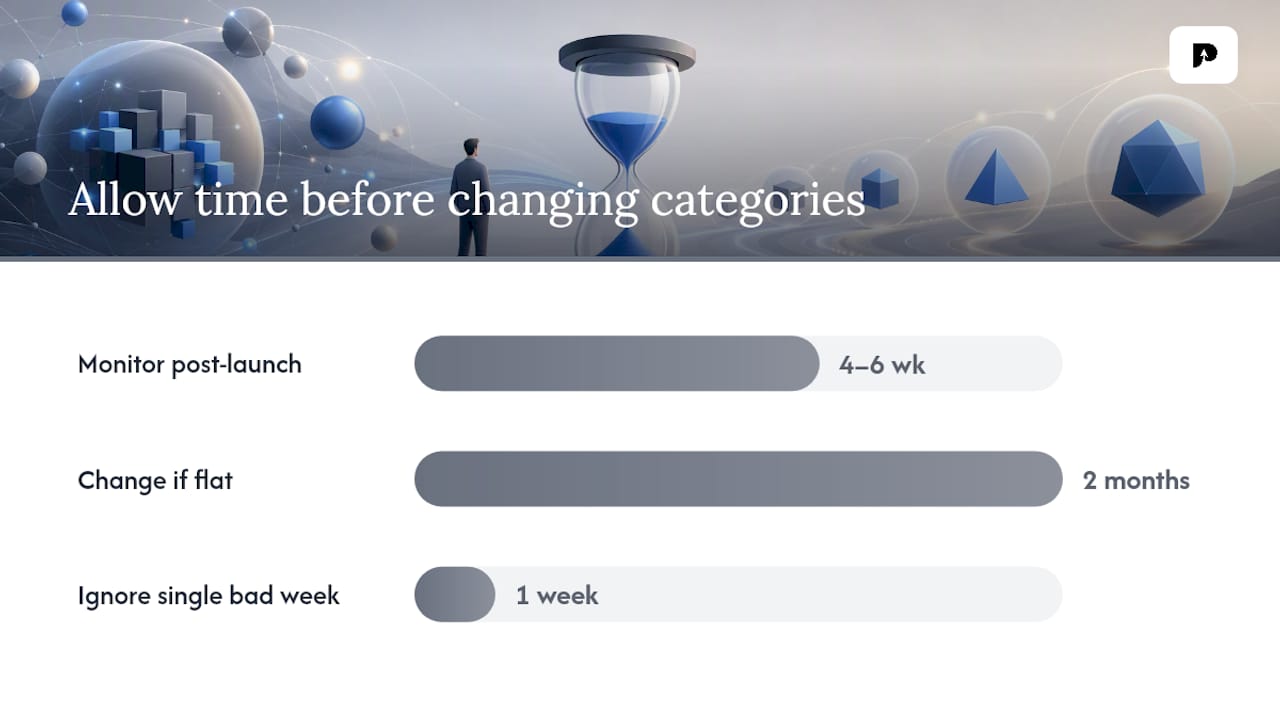
- Monitor browse impressions in App Store Connect for four to six weeks after launch. If impressions are flat, a category change is worth testing
LaunchPilot's category selection guide recommends checking editorial placement patterns before choosing. Categories that receive regular editorial features give smaller apps a realistic path to visibility that pure chart ranking doesn't.
Change categories when you ship a major feature pivot or when browse impressions have been flat for two consecutive months. Don't change categories reactively after a single bad week.
Fold, pivot, or double down: a practical decision framework
The conventional wisdom says "find a niche." That's true but incomplete. The harder question is which of three paths fits your actual situation.
Fold when: the category has no vulnerable incumbents (all top-20 apps updated within six months, revenue concentrated in two or three dominant players, and your differentiator is a feature the leaders could ship in a sprint). Entering here burns runway without a realistic path to visibility.
Pivot when: your core technology is sound but the primary category is locked. A narrower subcategory or a different primary that maps to the same user action often has weaker incumbents and a more receptive reviewer. This is the most underused option. Developers fixate on the obvious category and miss the adjacent one where they'd actually rank.
Double down when: you can identify a weak incumbent in the top 20 that hasn't updated in over a year, has ratings below 3.5, and holds a position primarily because of historical momentum rather than product quality. That's a vulnerable position. If your differentiator is verifiable and your metadata is clean, you have a real shot at displacing it.
For solo indie developers, the fold-or-pivot calculus is almost always the right call. The cost of a failed submission and appeal cycle is disproportionate when you're working alone. Studios and growth teams with dedicated ASO resources can absorb the timeline risk of a double-down play, especially when APPPRICER data shows a specific vulnerable position worth targeting.
APPPRICER gives you the saturation data before you commit
Guessing whether a category is saturated costs you weeks. Running the check in APPPRICER takes a few hours and gives you numbers instead of hunches.
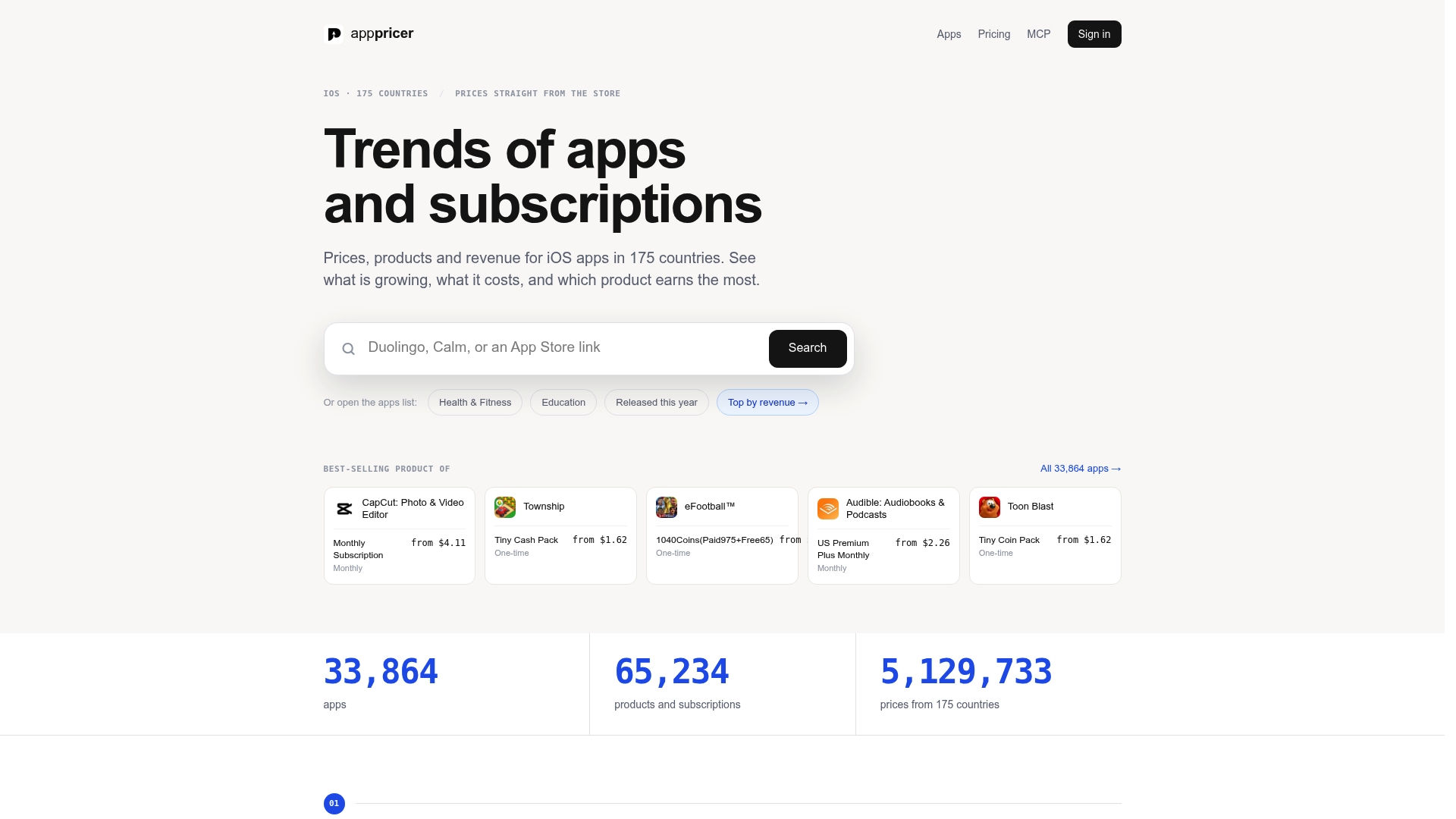
The three-step workflow: search your target category in APPPRICER's app database to pull new-launch rate, revenue concentration, and category growth trends. Filter the leaderboard for incumbents with low update frequency and declining download velocity. Those are the vulnerable positions. Export the top candidates and benchmark your feature set against them before writing a single line of App Review notes.
APPPRICER covers iOS apps across 175 countries, so you can validate whether saturation is a global problem or a market-specific one. A category that's locked in the US might have weak incumbents in Germany or Japan. That's a launch sequencing insight most developers never surface because they're looking at a single market.
Features most relevant to saturation checks: category growth trends, new-launch rate by category, revenue concentration and distribution, and exportable leaderboards with time-series data. Start with the APPPRICER free trial to run the workflow described in this article before your next submission.
Sources
- Apple updates App Store guidelines with stricter rules for low-quality apps — MacRumors
- Categories on the App Store and Mac App Store — Apple Developer
- Mobile App Revenue Statistics 2026: $167B Market Data - Axis Intelligence
- App Store Category Selection: How to Pick Categories That Actually Help You Rank | LaunchPilot